
近日因為手上的紅米K80在系統更新為OS3.0.306.0時也出現了以往舊版line通知延遲或不通知的問題,參考了台灣mobile 1大神lan的解決方法,使用UninstallPowerkeeper.bat的檔案來解決,無奈因為現行OS版本太新,因此沒有成功,遵循大神的思路自己找了一些方法來解決,在此也提供我的解決方法供臺灣的米粉參考希望有幫助!!
1.原因:陸版小米系統缺乏國際版原生 Google GMS / FCM(Firebase Cloud Messaging)系統級推送機制與通道。當手機鎖屏或進入省電休眠後,系統內建的後台管理(如 PowerKeeper)會自動清理快取並中斷應用程式的背景長連線,導致 LINE、Messenger 等第三方通訊 App 無法即時接收推播。
2.解決方案:手機端基礎設定:
A)設定-省電與電池-更多電池功能-鎖屏後清理記憶體改為-從不
B)通訊 App(LINE 等)高權限設定:開啟「自啟動」權限:進入「設定」>「應用程式管理」>「權限」>「自啟動」,將 LINE 等需要即時通知的 App 開啟。
省電策略改為「無限制」:進入該 App 的「應用資訊」>「省電策略」,從預設的「智慧省電」切換為「無限制」。
多工選單卡片加鎖:開啟最近任務頁面(多工選單),長按目標 App 卡片,點擊鎖頭圖示將其鎖定,防止一鍵清理誤殺背景。
C)手機-設定-更多設定-開發人員選項-將u s b偵錯以及u s b調試打開(進入開發人員選項的方法:設定>我的裝置>全部參數與資訊>OS版本,點擊OS版本七下,手機提示開發人員設定已啟用!
D)進入line App 的「通知管理」,確定「允許通知」、「鎖屏通知」、「懸浮通知(Banners)」、「允許響鈴與震動」均已勾選。背景彈窗與懸浮窗:進入「權限管理」,確保「鎖屏顯示」、「背景彈窗」與「顯示懸浮窗」設定為允許。
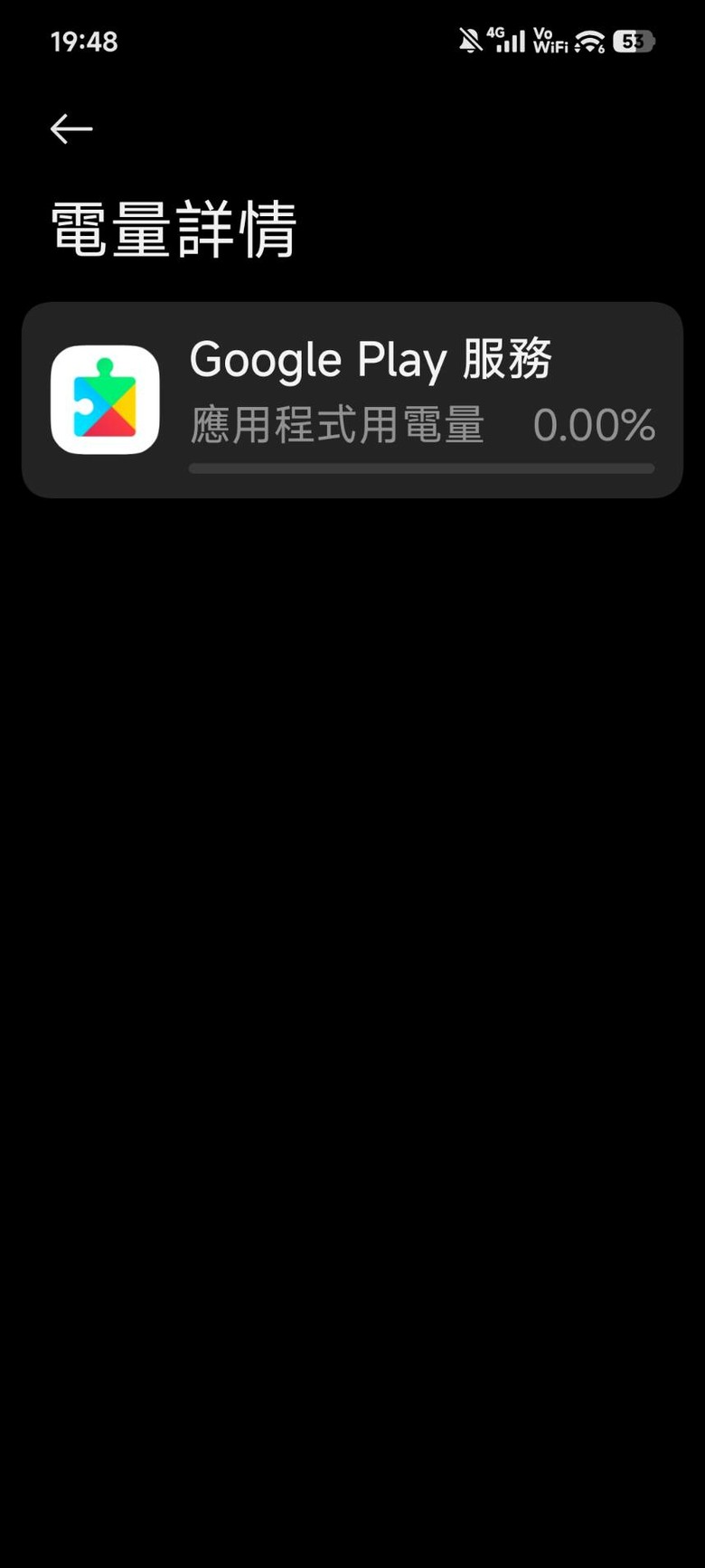
E)GMS 省電無限制:進入「應用程式管理」>「顯示所有應用程式」,搜尋 Google Play 服務(Google Play services),將其「省電策略」改為無限制,背景連線/數據設為允許。
GMS 自啟動:進入「自啟動」設定(勾選顯示系統應用),開啟 Google Play 服務 與 Google 服務框架 的自啟動。
F)進入「設定」>「更多設定」>「記憶體擴展」,將其關閉並重新開機,避免虛擬記憶體將背景 App 分頁導致狀態異常或卡死。
3.電腦端設定:
A) 開啟「關聯啟動 / 被其他應用喚醒」:進入 App 的權限管理,開啟「允許被其他應用喚醒」。但因為手機選單隱藏了此選項,因此要透過 ADB 命令授權:這時候需要使用到電腦,下載sdk platform tools:
載點:https://developer.android.com/tools/releases/platform-tools?hl=zh-tw
解壓縮之後將檔案放置於C:之內,然後win+R進入powershell-進入platform tools
a d b指令如下:
adb shell appops set jp.naver.line.android AUTO_START allow
這一個步驟是要允許line被其他應用喚醒。但手機選單隱藏了此選項因此要透過 ADB 命令授權
B)新版的系統隱藏了電量白名單,因此一樣要透過adb來設置,防止系統強殺背景
adb shell am force-stop com.miui.powerkeeper
adb shell pm clear com.miui.powerkeeper
adb shell appops set com.miui.powerkeeper RUN_IN_BACKGROUND ignore
adb shell appops set com.miui.powerkeeper RUN_ANY_IN_BACKGROUND ignore
adb shell am force-stop com.miui.powerkeeper
C)透過 ADB 指令直接將 GMS 與常用通訊軟體寫入 Android 系統底層 Doze 白名單(dumpsys deviceidle),使其免受深度休眠影響
# Google 核心推播服務
adb shell dumpsys deviceidle whitelist +com.google.android.gms
adb shell dumpsys deviceidle whitelist +com.google.android.gsf
# 台灣常用通訊與社群 App
adb shell dumpsys deviceidle whitelist +jp.naver.line.android
adb shell dumpsys deviceidle whitelist +com.facebook.orca
adb shell dumpsys deviceidle whitelist +com.whatsapp
adb shell dumpsys deviceidle whitelist +org.telegram.messenger
adb shell dumpsys deviceidle whitelist +com.instagram.android
# 其他重要系統與應用
adb shell dumpsys deviceidle whitelist +io.homeassistant.companion.android
adb shell dumpsys deviceidle whitelist +com.tencent.mm
adb shell dumpsys deviceidle whitelist +com.eg.android.AlipayGphone
adb shell dumpsys deviceidle whitelist +com.android.deskclock
完成上面所有動作之後重啟手機,打開line,上鎖,請家人朋友傳一次訊息或貼圖來喚醒
到這個階段都已完成,應該就不會有問題了!!希望能夠解決臺灣米粉心中的痛!!

個人積分:41分
文章編號:93443629

個人積分:1294分
文章編號:93443824


個人積分:7916分
文章編號:93445007

個人積分:7674分
文章編號:93445210

個人積分:8分
文章編號:93460749

個人積分:11分
文章編號:93463013
個人積分:5503分
文章編號:93463381
個人積分:390分
文章編號:93467597
目前按照設定遇到以下問題
E)項,GMS省電策略內無選項可選。
adb shell appops set jp.naver.line.android AUTO_START allow
Error: Unknown operation string: AUTO_START
adb shell am force-stop com.miui.powerkeeper
Success
以下則是輸入完無回吐訊息
adb shell appops set com.miui.powerkeeper RUN_IN_BACKGROUND ignore
adb shell appops set com.miui.powerkeeper RUN_ANY_IN_BACKGROUND ignore
adb shell am force-stop com.miui.powerkeeper
我查了一下LINE的所有OP
adb shell cmd appops get jp.naver.line.android
RUN_ANY_IN_BACKGROUND: allow; time=+7m28s336ms ago
MIUIOP(10008): allow; time=+2d13h14m34s496ms ago
MIUIOP(10021): allow; time=+82d1h59m30s855ms ago
都是有允許的 只是時間都很久之前
OP_AUTO_START = 10008
OP_BACKGROUND_START_ACTIVITY = 10021
OP代碼參照來源
https://gist.github.com/0awawa0/65bf88e43159750f596da194ed923522
個人積分:112分
文章編號:93468999
個人積分:390分
文章編號:93469546





















小惡魔市集
關閉廣告